News
How to pay with a QR code in Venezuela from a digital account
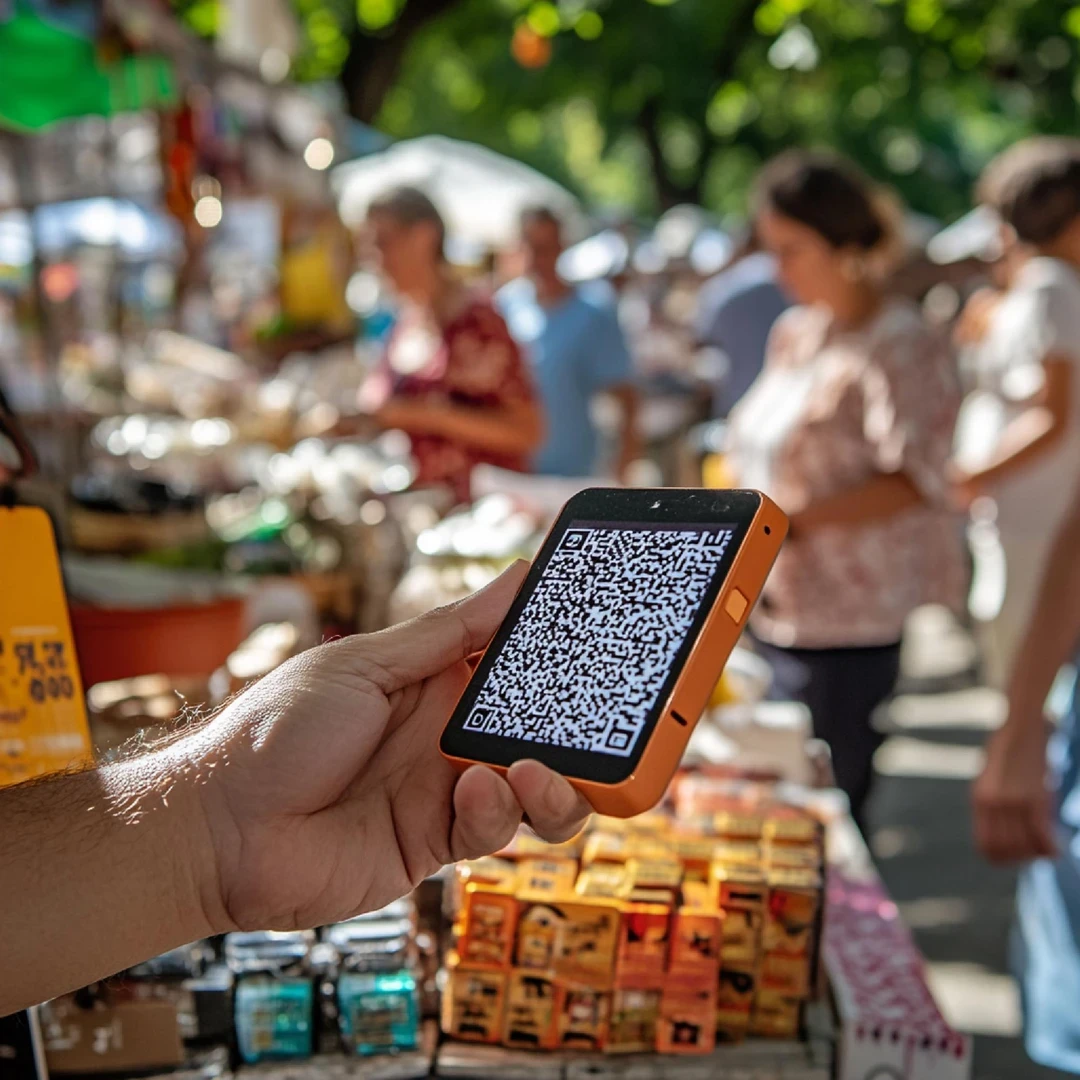
Arriving at a merchant's checkout and discovering that the QR code does not work with your app generates a frustration that can be avoided by understanding the flow before standing in front of the cashier.
Here we tell you how to pay with QR in Venezuela step by step, how the conversion from dollars works, and what to do when faced with the most common errors.
Download the belo app and check how to pay with QR according to your account and current conditions.
How the flow to pay with QR in Venezuela works
Arriving at a merchant's checkout in Caracas, Maracaibo, or Valencia and discovering that the QR code does not work with your app generates a frustration that can be avoided by understanding the flow before standing in front of the cashier.
Digital payments in Venezuela have grown strongly in recent years, and QR code payments in Venezuela have become one of the fastest ways to complete a purchase, but only when you understand how each step of the process operates.
The journey starts by opening your virtual wallet or banking app and activating the camera from the QR scanning function.
The code shown by the merchant may be printed on a sign, on the screen of a point-of-sale terminal, or directly on the merchant's cell phone.
Upon scanning it, the app reads the receiving merchant's data and, if the QR is dynamic (generated for that specific transaction), it also brings up the pre-loaded amount. If the QR is static, you have to enter the amount manually in bolivars.
Once the app processes the code, a confirmation screen appears with the merchant's name, the amount in bolivars, and the source account of the payment.
This is the key moment of the entire flow, because after tapping "confirm," the transaction is executed and reversing it depends on the merchant, not on your app.
The digital receipt arrives in seconds to both the payer and the merchant, and remains registered in the transaction history.
Types of QR you will find in shops
The dynamic QR is generated for a specific transaction, comes with the pre-loaded amount, and has a limited validity in time.
The static QR is printed or fixed at the point of sale, so the amount must be entered manually in the app before confirming.
The on-screen QR appears directly on the seller's cell phone or terminal and can be either dynamic or static depending on the system used by the merchant.
Confirming the payment and converting from dollars
The confirmation screen deserves more than two seconds of attention.
Before accepting, verify that the merchant's name matches the business where you are purchasing, that the amount in bolivars is correct, and that the selected debit account has a sufficient balance.
Also check that your internet connection is stable, because a transaction interrupted halfway can generate a debit without the merchant receiving confirmation.
The question that often comes up is whether it is possible to pay with QR in Venezuela from an app that operates in dollars. The answer depends on how your wallet works.
Some apps allow you to maintain a balance in digital dollars (like USDC or USDT) and automatically perform the conversion to bolivars at the moment of payment, using the exchange rate active at that instant.
Others require you to first convert your dollars to bolivars within the app and then use that balance in bolivars to complete the QR transaction.
That difference matters. When the conversion happens at the moment of payment, you know exactly how many dollars you are spending for each purchase.
When you have to convert beforehand, you are exposed to the variation in the exchange rate between the conversion and the purchase.
Wallets like belo, which operate with interoperable QR in Argentina, function with instant automatic conversion, allowing you to pay at local shops directly from digital dollar balances without intermediate steps.
The concept is the same for any app that offers this functionality in Venezuela.
The merchants where this method is most used range from supermarkets and pharmacies to coffee shops and clothing stores.
In large cities, the adoption of interoperable QR is high because it reduces reliance on cash in bolivars and speeds up checkout for the merchant.
Instant conversion vs. prior conversion
Modality | How it works | Main advantage |
|---|---|---|
Automatic conversion upon payment | The app converts dollars to bolivars at the instant of the transaction using the current exchange rate | You know exactly how many dollars you spend on each purchase |
Manual prior conversion | First you convert within the app and then you use the balance in bolivars to pay | You control the exchange rate before going to the shop |
Common errors when paying with QR
The most frequent error is scanning a QR that the app does not recognize. This happens when the code was generated by a system that is not interoperable with your wallet, or when the QR is damaged or outdated.
The solution is to ask the merchant to generate a new one from their terminal, since dynamic QRs have a limited validity.
The second common problem is that the transaction remains "in progress" without being confirmed, almost always due to an unstable connection.
Before trying the payment again, check your transaction history, because many times the operation did process but the notification did not arrive. Paying twice for the same amount is a costly error that can be avoided with that thirty-second check.
It also happens that the amount shown in the app differs from what you expected.
This can occur when the merchant updates the price after generating the QR, or when the conversion from dollars uses a different exchange rate than what you had in mind.
Always check the final amount in bolivars before confirming, comparing it with what you were verbally told at the shop.
If the app rejects the transaction due to limits, check your level of identity verification within the digital wallet.
Most digital payment apps in Venezuela establish daily and monthly limits that increase when you complete verification with an ID document and a selfie.
Knowing your limit before reaching a checkout avoids the awkward moment of not being able to complete your purchase. One last point to keep in mind is the receipt.
Always save the screenshot or digital record of the payment until you confirm that the merchant credited the transaction, especially in high-amount purchases where a subsequent dispute requires documentary backing.
Frequent errors and how to resolve them
The app does not recognize the QR because the merchant's system is not interoperable with your wallet, or because the code is damaged or expired. Ask the merchant to generate a new code from their terminal.
The transaction remains "in progress" without being confirmed, almost always due to an unstable connection. Check the transaction history before trying to pay again to avoid a double debit.
The amount shown in the app differs from the expected amount when the merchant updates the price after generating the QR, or when the conversion uses a different exchange rate than anticipated. Always compare the final amount with the price you were quoted at the shop.
The app rejects the operation due to limits because you did not complete identity verification within the wallet. Raising the verification level with an ID document and a selfie increases daily and monthly limits.
The receipt is not saved after a high-amount purchase, making it difficult to resolve a subsequent dispute. Always save the screenshot or digital record until you confirm that the merchant credited the transaction.
Download the belo app and check the current conditions according to your account.
Frequently asked questions about paying with QR in Venezuela from a digital account
Can I pay with QR in Venezuela if my app is registered in another country?
It depends on whether the app supports the interoperable QR standard used by Venezuelan merchants. Some international wallets allow scanning and paying regardless of the country of registration, as long as they have a balance in bolivars or make the conversion automatically.
The most convenient thing is to check compatibility within the app itself before attempting the purchase, so you don't run into a rejected transaction in front of the cashier.
What happens if I scan the QR and the merchant appears with a name I do not recognize?
The name displayed on the confirmation screen corresponds to the business name or trade name registered in the merchant's billing system, which may differ from the visible name at the physical store.
If you have doubts, cancel the operation and consult the seller before confirming. It is better to take a few seconds than to reverse a mistaken payment.
How long does it take for the payment to be credited to the merchant?
Under normal connectivity conditions, the crediting is immediate or takes a few seconds. If the connection is unstable, it may take longer for the merchant to receive confirmation, even though the debit has already been executed in your account.
In those cases, it is advisable to wait before repeating the payment and check the transaction history to confirm if the transaction has already processed.
Is there a minimum or maximum amount to pay with QR in Venezuela?
Limits vary depending on the app and the level of identity verification of each user. Most wallets allow increasing the limit by completing verification with an ID document and a selfie.
Merchants may also have their own restrictions depending on their billing system, so it is best to consult them directly if you are going to make a high-amount purchase.
What do I do if I paid twice by mistake when trying a transaction that remained "in progress"?
The first step is to check your app's transaction history to confirm how many debits were actually made. If there is a duplicate charge, contact the merchant with both receipts to request a refund, as the reversal depends on the merchant and not on the wallet.
Keep the digital records of both transactions before making the claim, because they are the proof the merchant needs to process the refund.


